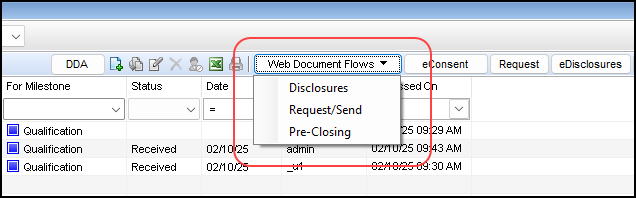
For lenders who have set up Partner document delivery (PDD), which means they have integrated and enabled document management vendors with their Encompass instance so they can send documents to recipients through a third-party vendor (a Partner) instead of the default Encompass Docs Solution ("Encompass Delivery") method, a Partner will now be set as the default delivery method when sending documents via the Web Document Flows button in the eFolder and the eClose button on the RegZ - CD input form. This enhancement allows for less human error when sending disclosures and allows for quicker sending of disclosures when using the Web Document Flows send options:
Disclosures
Request/Send
Pre-Closing
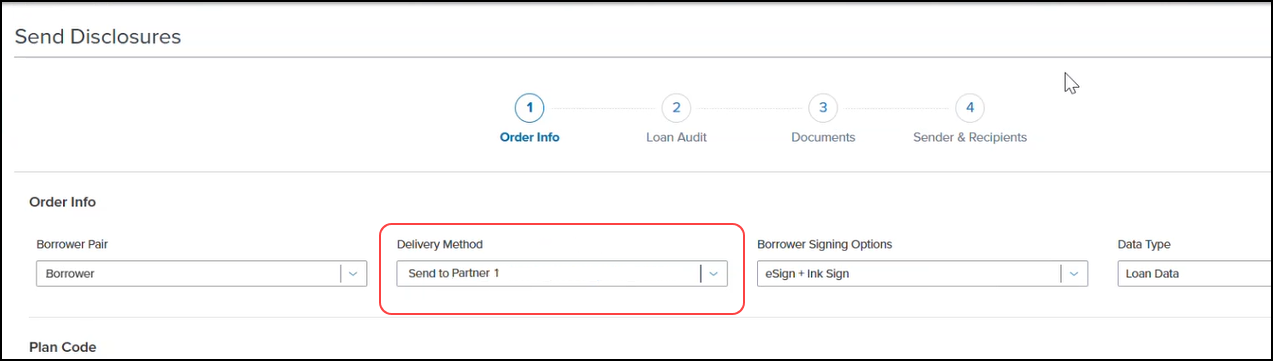
In Encompass instances where one Partner has been configured to send documents, the Delivery Method field on the Send Disclosures page now defaults to the configured Partner. The same logic applies on the Request/Send Documents and the Pre-Closing Package pages when requesting or sending documents or when sending pre-closing documents.
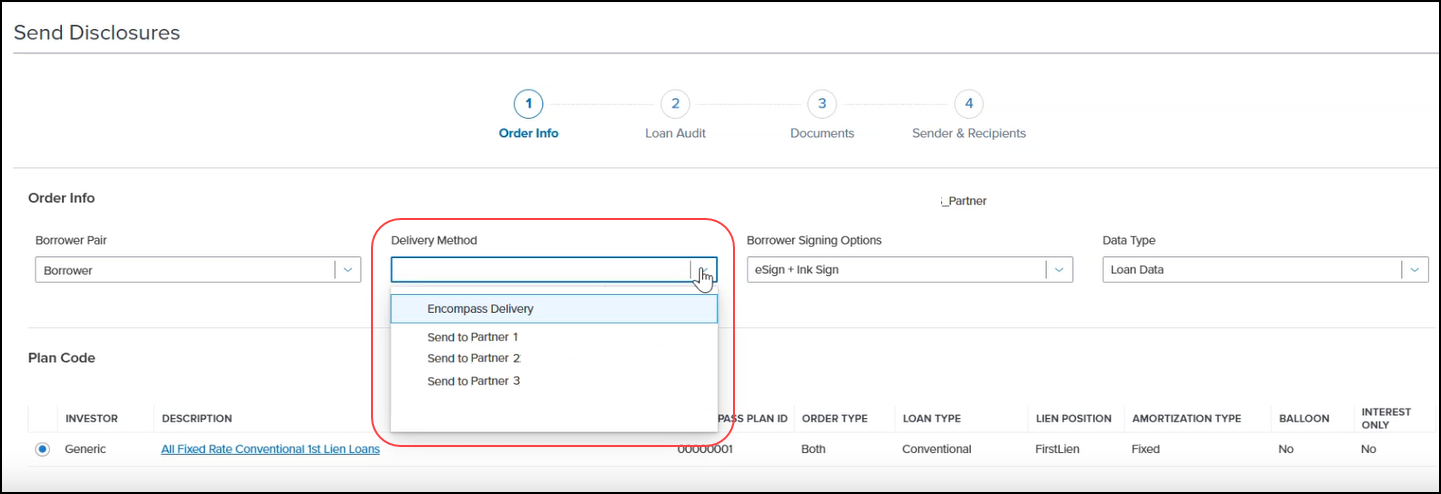
In Encompass instances where more than one Partner has been configured to send documents, then the Delivery Method field on the Send Disclosures page is left blank, and the user is then required to select the Partner to use. They will not be permitted to proceed until a Partner is selected. The same logic applies on the Request/Send Documents and the Pre-Closing Package pages when requesting or sending documents or when sending pre-closing documents. When sending pre-closing closing documents, the audit will not until a Partner (or other) delivery method is selected.
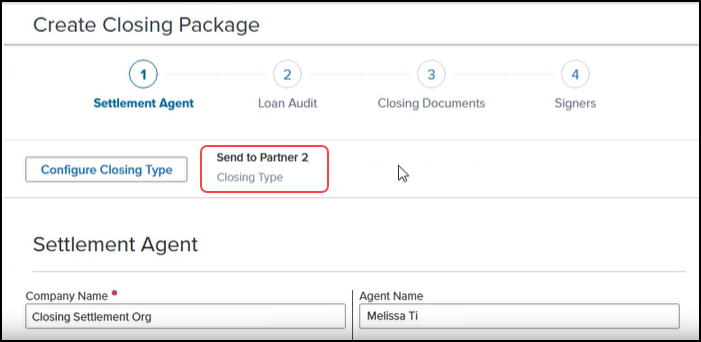
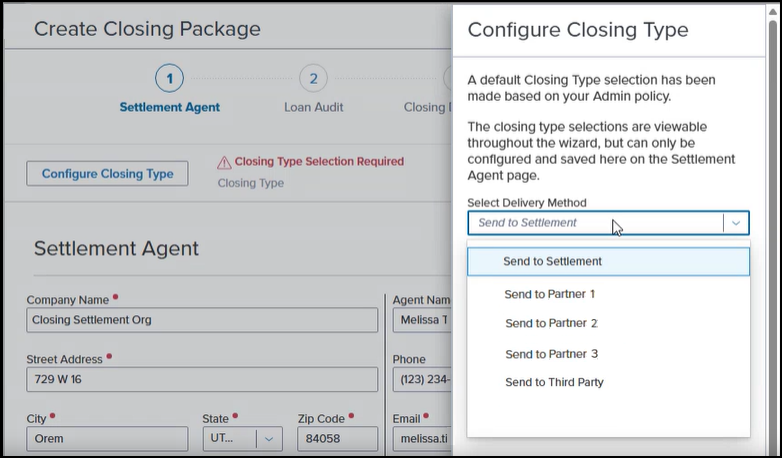
If more than one Partner has been configured to send documents, then the Closing Type field on the Create Closing Package page is left blank, and the user is then required to select the Partner to use. Click the Configure Closing Type button, and then select the Partner from the Select Delivery Method dropdown list.
Was this article helpful?
That’s Great!
Thank you for your feedback
Sorry! We couldn't be helpful
Thank you for your feedback
Feedback sent
We appreciate your effort and will try to fix the article