The Blend <> Encompass First Party integration allows customers to configure a default loan folder and default loan template.
Default Loan Folder
When a loan is exported from Blend, the integration will identify the working folder of the Loan Officer on the Blend loan. Using that User ID, the integration assigns the loan to them and puts the loan in that user’s working folder per their Encompass user account.
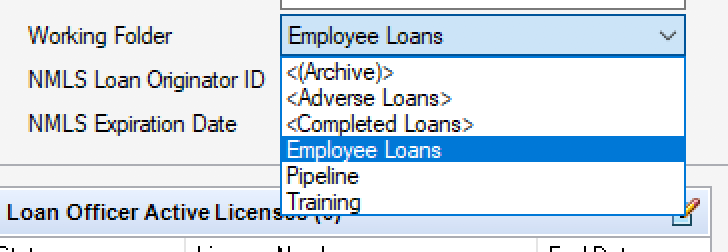
It is also possible for the integration to use a default folder instead of a user’s working folder upon request.
Default Loan Template
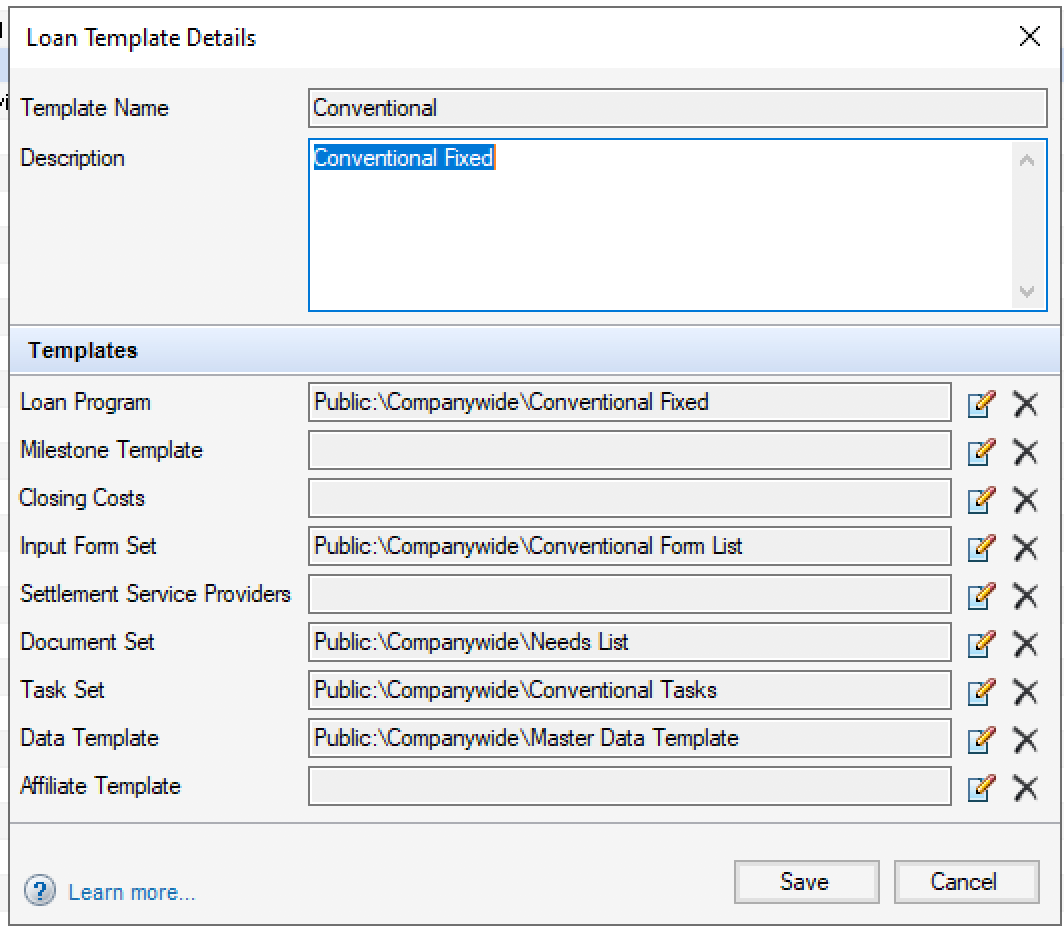
If you require new loans to have a pre-set template or prefer that Blend loans be set to a certain template, please provide that template name. Specifically, please provide a screenshot of the template like the one pictured below. Blend has the ability to map to multiple templates based on loan parameters (such as purchase/refi, FHA/conventional, etc.). The loan template is currently set at time of initial loan export and does not get updated with loan updates.
Was this article helpful?
That’s Great!
Thank you for your feedback
Sorry! We couldn't be helpful
Thank you for your feedback
Feedback sent
We appreciate your effort and will try to fix the article